
An existing website has a history: saved addresses, links from other sites, downloadable documents and people arriving from Google. A redesign needs to account for those paths. Before changing the structure, it helps to decide what to keep and where visitors using old links should land.
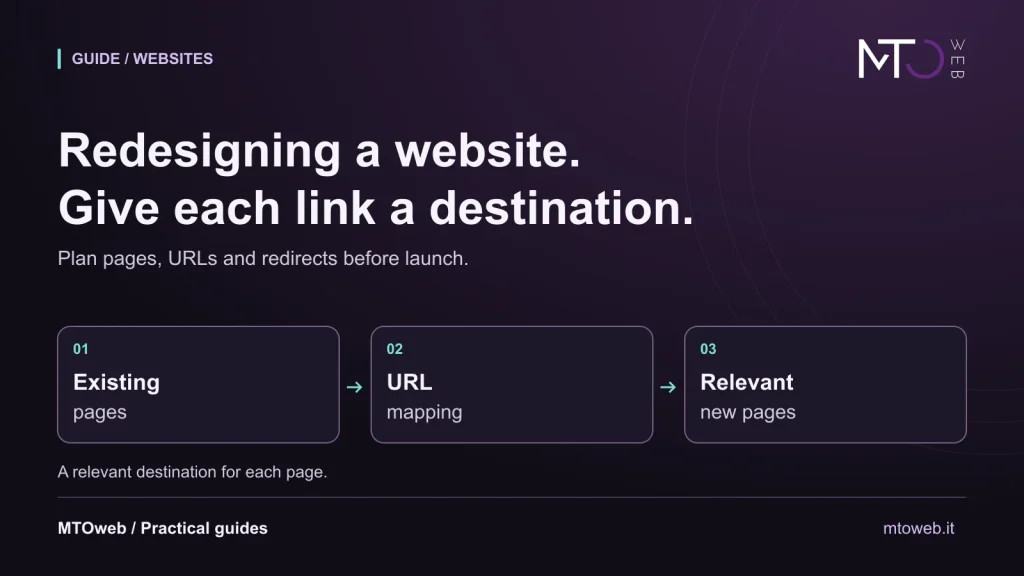
Illustrative MTOweb diagram. Decide the destination for each page.
Start with the pages people still need
An inventory of existing URLs is a useful first step. Include service pages, articles, product information and PDFs that still have value. Where available, analytics, sitemaps and Search Console data help identify the paths people use. A page with little traffic may still matter, such as a technical document sent directly to customers.
Give each item a decision: keep it, improve it, merge it into a relevant page or remove it. This avoids both copying everything unchanged and discarding useful material simply because it looks old. It also provides a practical way to prepare content before development begins.
A new design does not require new URLs
In the redesign projects we work on, we assess URLs and redirects case by case, according to the project. The existing site, the content to retain and the new structure provide the starting point for discussing destinations.
If a page keeps the same subject and its URL works well, that address can remain even when its design or platform changes. Where a new structure does require a different path, create an explicit mapping between the old address and its replacement.
As an illustrative example, a page at /services.php might be replaced by /services/. The mapping tells us that visitors opening the old address should go directly to the new overview. An individual service page should lead to the matching service, rather than an unrelated destination. Preserving the purpose of the page helps people find what they expected.
Use relevant redirects with a direct route
For a permanent move, server-side permanent redirects, such as HTTP 301, communicate the new destination. Google’s redirect documentation explains their role in search. The implementation depends on the website and hosting environment.
Avoid chains that take an old address through several intermediate pages. Sending every removed page to the homepage can also leave visitors without the answer they wanted. If content has been removed and there is no relevant replacement, a 404 or 410 response can be appropriate. A redirect should reflect a genuine relationship between pages.
Test the full journey, including on mobile
Before launch, we routinely check navigation, mobile presentation, links and contact forms. These steps help us examine the site from the perspective of the people who will use it.
Start with an old link and follow the path to the action a visitor wants to complete. Open the page, follow its links, check images and documents, and test the contact journey. Update internal links to the final destination, rather than relying on redirects for everyday navigation.
The new site also needs checks of titles, canonical page signals and links between language versions where applicable. On mobile, assess reading and navigation; with a keyboard, check access to controls and visible focus. These checks need to happen on the actual project. Choosing a CMS does not establish those qualities by itself.
Monitor data and reports after launch
An updated sitemap helps Google discover URLs, but does not guarantee crawling or indexing. After the move, check important addresses, actual errors and data across comparable periods. A page being technically available and its position in search results are separate matters.
Search visibility can fluctuate during a migration. Google’s guide to URL changes describes the preparation and monitoring involved. A difference seen on a single day is insufficient evidence of either a fault or an improvement.
What to prepare for a redesign
A useful starting point is your current website address, the pages you want to retain, available materials and the functions that must keep working. Share credentials and technical data later through agreed channels, rather than including them in public requests.
For our website development and redesign service, WordPress is one possible foundation, alongside fully custom development where needed. Structure, migration and testing are agreed within the project scope. Initial SEO setup and training support ongoing management after delivery, without promising that search positions will automatically remain unchanged.